Karaoke Server and Player is a complete desktop Karaoke management application for Windows written in Python. It supports mp3 with cdg (mp3+g) in pairs or as mp3+g zip files as well as MP4. The traditional source of these include publishers such as Sunfly and MrEntertainer.
There are four main components:
1.) Administration
2.) Web Server
3.) Player
4.) Queue
Administration
You can add your source Karaoke folders which are indexed producing a quick and efficient JSON file for searching by through the web server app.
Web Server
There is a web server with zeroconf/mdns functionality allowing it to be accessed by a fixed name on your local network as well as an IP address which you can open to the public.
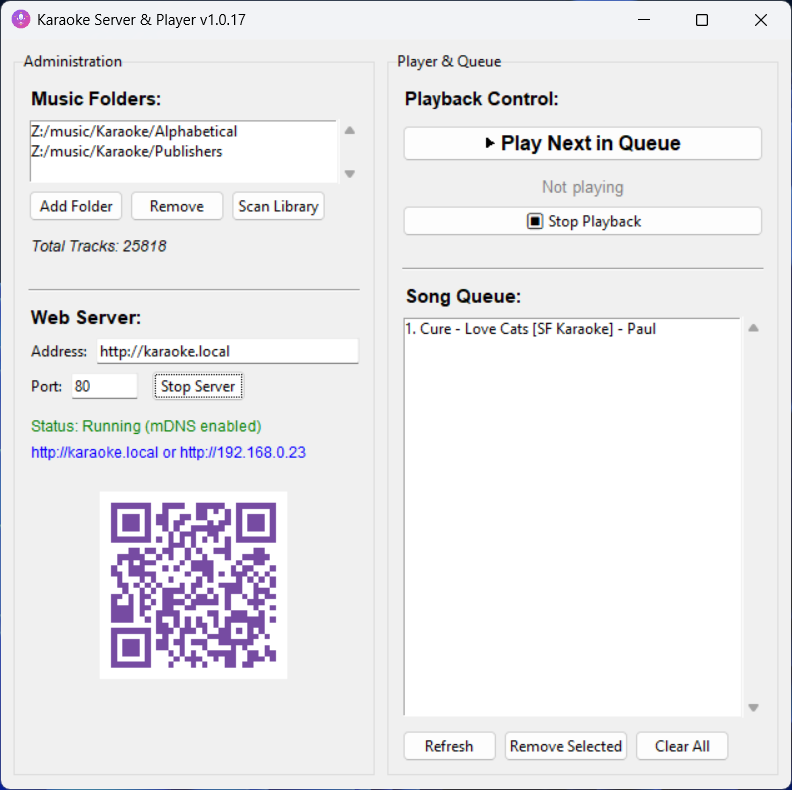
A dynamic QR code is created allowing your party guests to access the web server app. You can enter the server address and port and a new code is generated.
Player
You launch the player from the app. A full screen blank window appears with some player controls. The songs from the queue will automatically play.
You can restart or pause the current track or skip to the next track. This is dependent on the config of the CDG file.


Queue
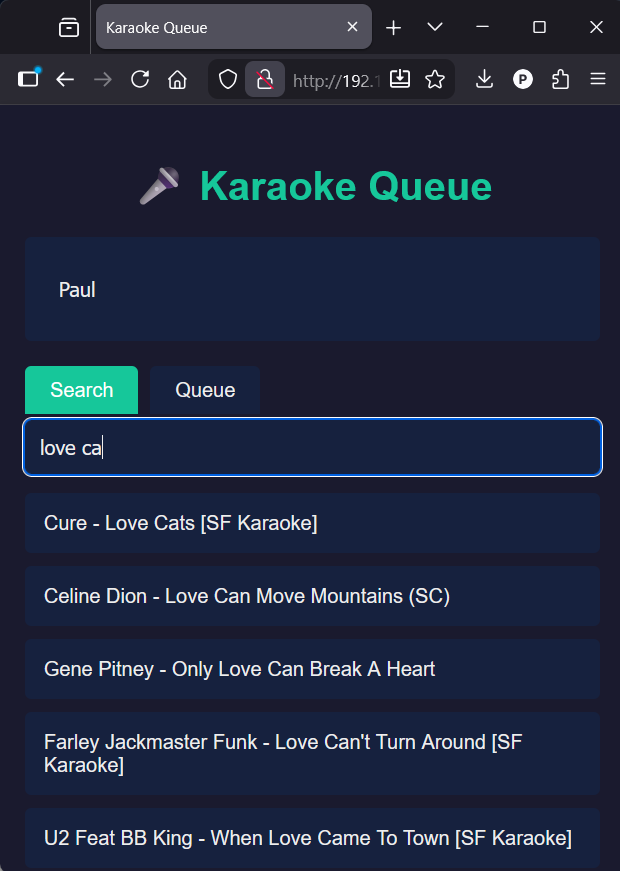
Clients can use browsers on their mobile devices to remotely access the server and search tracks and add them to a queue.
Entering their name then searching their choice will be added to a queue.
The default mDNS address is http://karaoke.local but you can use your computer LAN ip address or port forward through your router.
In the desktop app the queue refreshes and updates every 10 seconds. You can manage the queue, such as remove unwanted tracks.